Log In
 Register


 Topic RSS
 Facebook
 Twitter
 Email this
4:20 am
October 21, 2018
 Offline


I am running Windows 11 24H2 and I can confirm that WMP is still there. I use it to play my CD collection.
6:50 am
November 8, 2018
Offline
That old WMP is now renamed to Windows Media Player Legacy. It may not be enabled by default in fresh Windows 11 installation, for example if you bought new PC.
It can be easily enabled, for exact steps google it. I am using WML Legacy on my computer, too.
Microsoft just released Windows 11 update 25H2, and after installing it I still have old WML.
6:50 am
January 25, 2024
Offline
Use VLC player (free). It can do few other things beside being an audio/video player.
7:39 am
October 27, 2013
Offline
VLC is the media player of choice and has been (for me) for a very long time. It is one app that I install in the first hour or so of getting a new PC. https://www.videolan.org/
5:45 pm
March 15, 2019
Offline
I use Media Player Classic (at least I think it's MPC) to play my videos. I don't know if it is still available now. I installed mine years ago.
8:54 am
October 17, 2018
Offline
CAD said
So why don't you enlighten us HOW to get 'free' upgrade to Win 11. I have Win 10 Pro thus I want Win 11 Pro or better...
Just came across this link for upgrade to 11 Pro for $10.
https://www.techspot.com/news/.....cense.html
https://store.techspot.com/sal.....s-11-pro-7
9:47 am
August 14, 2023
Offline
Oscar said
Just came across this link for upgrade to 11 Pro for $10.
https://www.techspot.com/news/.....cense.html
https://store.techspot.com/sal.....-pro-7
I would not be surprised if offers like these were discussed before. Offers for MS Windows OS that are to good to be true has been around for decades.
This offer is like everything else on the internet, trust nothing and verify everything.
Although this offer appears legit , its really a buyer beware deal. It's in the grey area, not a complete scam, but has some essence of legitimacy.
@ $10 (US) its a low risk high reward buy, as it most likely be a fully activated working OS , but may fail to activate after purchasing, or at some point later its activation may get pulled by Microsoft.
I found an excellent article that fully explains the pros and cons regarding offers like these.
Trader first, Saver second (sadly, TINA is back)
1:07 pm
January 25, 2024
Offline
Oscar said
Just came across this link for upgrade to 11 Pro for $10.
I am not going to give MS not one cent for their garbage spying software. Due to various reason I am forced to use MS products like OS and Word/Excel but I still consider it as garbage.
Educate yourself how BAD Win 11 is.
I had to use multiple programs and techniques to remove all kind of crap from Win 11 I run on my test PC. Now my Win 11 looks and behaves like Win 10 and I do not see any difference in performance and such.
3:23 pm
October 17, 2018
Offline
TINAisOver said
I would not be surprised if offers like these were discussed before. Offers for MS Windows OS that are to good to be true has been around for decades.
This offer is like everything else on the internet, trust nothing and verify everything.
Although this offer appears legit , its really a buyer beware deal. It's in the grey area, not a complete scam, but has some essence of legitimacy.
@ $10 (US) its a low risk high reward buy, as it most likely be a fully activated working OS , but may fail to activate after purchasing, or at some point later its activation may get pulled by Microsoft.
I found an excellent article that fully explains the pros and cons regarding offers like these.
I figure lots of people are sticking with Win 10 and since Win 11 is all about data collection I think they are willing to give it away for free if they have to in order to collect all the data.
4:06 pm
October 17, 2018
Offline
CAD said
Oscar said
Just came across this link for upgrade to 11 Pro for $10.
I am not going to give MS not one cent for their garbage spying software. Due to various reason I am forced to use MS products like OS and Word/Excel but I still consider it as garbage.
Educate yourself how BAD Win 11 is.
I had to use multiple programs and techniques to remove all kind of crap from Win 11 I run on my test PC. Now my Win 11 looks and behaves like Win 10 and I do not see any difference in performance and such.
Good to hear. I misunderstood. Thanks for confirming what I have read about Win 11. I use Linux. I acquired a Win 10 computer a while back and fired it up to do the update before end of life and it seemed exactly as before with Win 8. Long boot time, all sorts of stuff running in the background. When I shut it down it told me "do not turn off your computer" and then kept me waiting as it installed its updates and when I restarted it continued to tell me what to do. I don't miss the abuse one bit.
5:26 pm
September 11, 2013
Offline
Still running Windows 10 on my old desktop, just got an email from Microsoft saying they're extending the free security updates for another year, to Oct 12, 2027, I don't have to do anything.
6:21 pm
January 12, 2019
Offline

.
Yup, that's ⬆️ fairly well known . . .
.
Kudos to Microsoft for doing that, for those with computers that can't handle Windows 11. But come Oct. 2027 ... their time will be Up !
- Dean
 " Live Long, Healthy ... And Prosper ! "
9:15 pm
August 20, 2019
Offline
Thinking out loud,
Again, microsoft extends updates and you agree to onedrive service which becomes a paid service?
It is tied to your email and thus all your windows devices and/or more?
Is it still 5gb and then they want money as per my page 3 post #56?
1:13 pm
January 12, 2019
Offline
.
Suggestion . . .
Store & Backup all your documents, files, photos, etc. on Encrypted Memory Sticks (instead of OneDrive, iDrive, etc.), and then your Not held Captive/Beholden to Anyone . . .
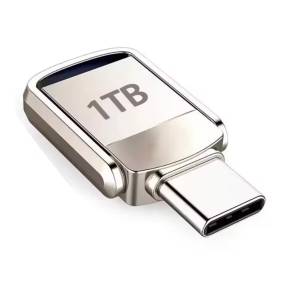
It works for me 
- Dean
" Live Long, Healthy ... And Prosper ! "
7:01 am
February 7, 2019
Offline
Dean said
.
Suggestion . . .Store & Backup all your documents, files, photos, etc. on Encrypted Memory Sticks (instead of OneDrive, iDrive, etc.), and then your Not held Captive/Beholden to Anyone . . .
It works for me
Dean
Yep. I've been doing monthly critical data backups onto USB sticks for 15+ years.
I retain monthly backups for the this and last year, quarterly for the previous 2 years and year-end for years before that ...
| CGO |
8:08 am
November 18, 2017
Offline
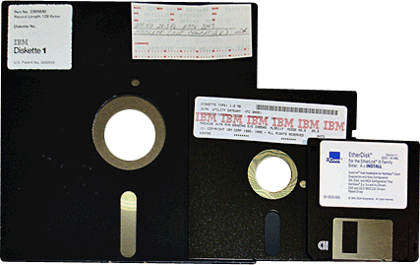
Me too. For over 25 years, with Zip disks. Complete backups monthly, all financial files whenever changed, with a DOS batch file selecting. Of course, on a machine not connected to the internet.
RetirEd
8:11 am
February 7, 2019
Offline
RetirEd said
Me too. For over 25 years, with Zip disks. Complete backups monthly, all financial files whenever changed, with a DOS batch file selecting. Of course, on a machine not connected to the internet.
Wow ... That brings back memories ...
| CGO |
8:18 am
October 27, 2013
Offline
Years and years ago, I used Zip disks for backups, and then an external HDD for a decade or two. Within the last 10(?) years, I simply use cloud storage. Not remotely concerned. Life is short.