 Log In
 Register
 Home
Home

 Topic RSS

 Facebook
 Twitter
 Email this
7:40 am
May 15, 2007
 Offline


Here is another year-end special edition of the ongoing best tips contest that ran for much of the year.
Which financial institution do you think has the most user-friendly online interface?
Write your reply in this thread. Your post must include the following:
- At least one screenshot. Please use Dropbox or any of the many free image hosting sites to upload your screenshot. Be sure to obscure any sensitive information using Paint or a more sophisticated image editor.
- A minimum 3-sentence description of the why you think it has the best interface.
- At least 1 "wish list" item where you think that financial institution could improve upon their online interface.
You can mention the same financial institution as someone else, but you have to upload your own screenshot and write your own reasoning.
One post will be chosen from the replies made in this thread only before 11:59pm Pacific Standard Time on December 18, 2011 and the poster will be awarded $100 to their bank account or charitable cause of their choice. Multiple posts by the same person will be treated as the same entry.
See other contest rules (other than rule #1) and method of payment here.
10:24 am
December 7, 2011
Offline

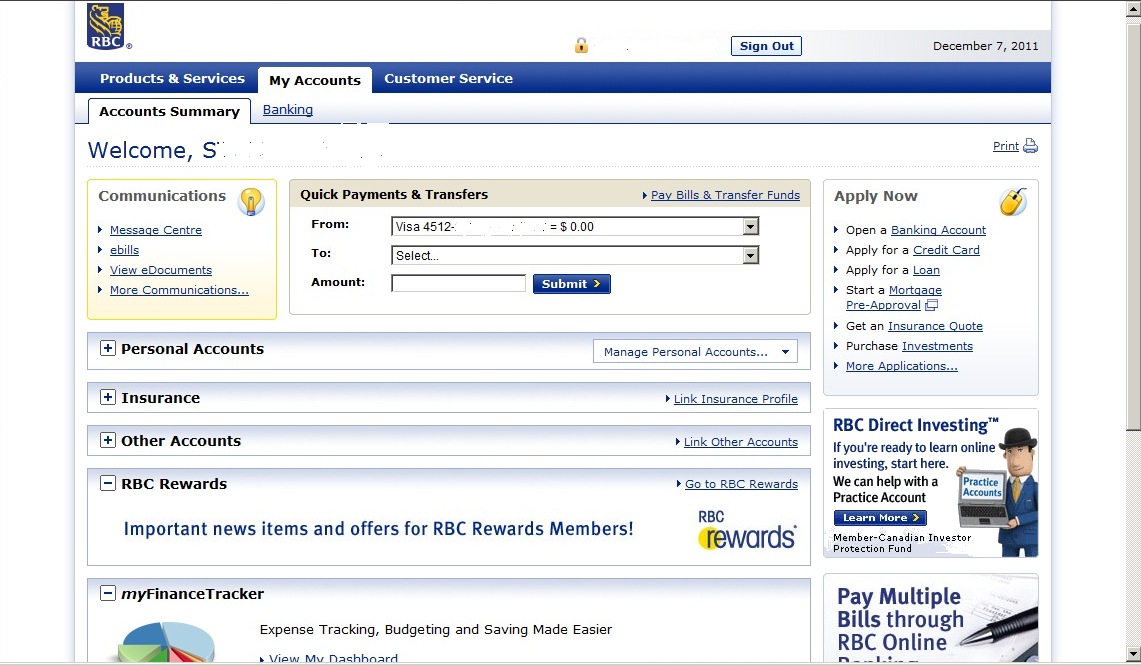
In my opinion, RBC (Royal Bank of Canada) has the most user-friendly online interface.
It is very clear and simple to use.
You can do Quick Payments and Transfers from the Main page.
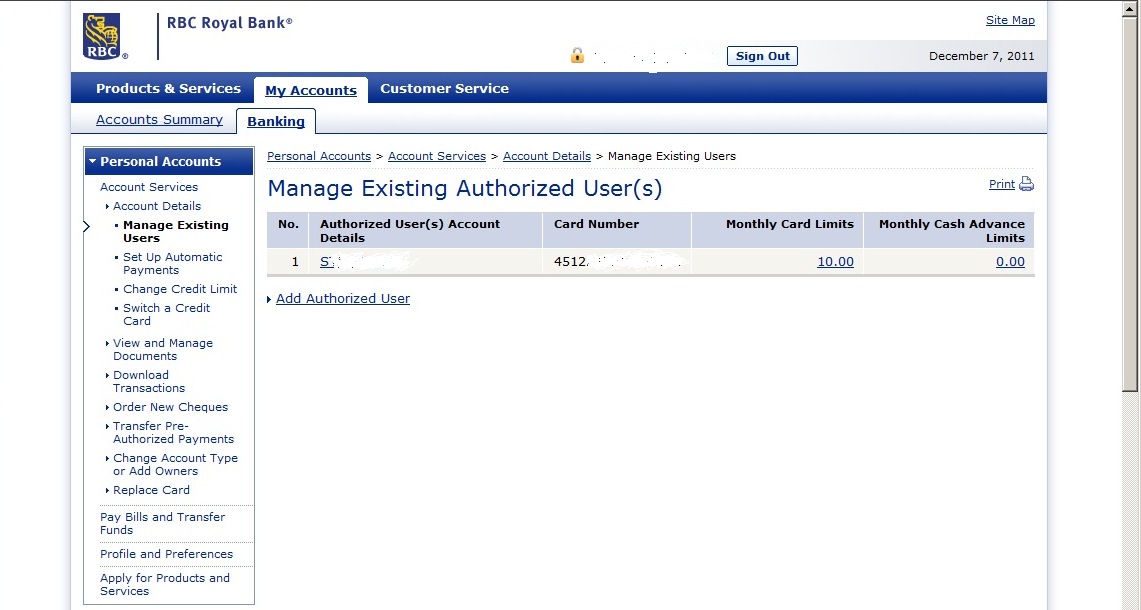
You can add and manage existing authorized users on your credit card online.
Also, you can instantly change monthly credit card limit to any amount
between 0 and your max credit card limit – very good feature.
And, you can increase/decrease that limit as often, as you want.
You can pay multiple bills at once too.
I wish that RBC would add to their online interface "Session Summary" button.
It's useful, when you need to check this session transactions.
Interest YTD (Year To Date) information on savings accounts – my second "wish" item.
I also do online banking with Ally, Hubert, PC Financial, CIBC, TD, AcceleRate, ING, ICICI,
but I like RBC online interface the most.



12:40 am
I have to say the most user-friendly bank account online interface is the one by
Canadian Direct Financial. (https://www.canadiandirectfinancial.com/Personal/)
It's a straightforward/simple interface. Not much "eye candies" on the site so I can go on
and do my transactions quickly. Frequent account menus are easy to locate. Check the
interest rates, it's there. Bank account fees? Same. So let us explore CDF and see how
friendly the banks' user interface goes. This is their
(truncated) opening screen:
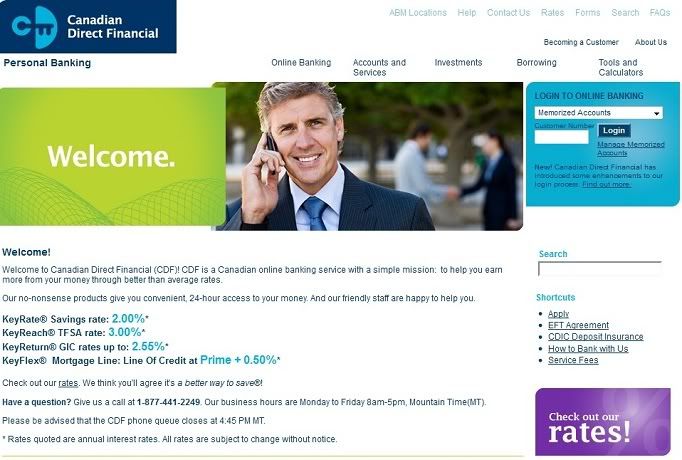
Oh well, as of this writing, CDF has the following splash screens:
1. lady on red shirt
2. lady on a car
3. mom and dad with 2 kids
4. man using his phone with two people shaking hands on his back
5. man looking at his laptop
6. 2 couples and then another couples at the back
You enter your customer number and then login or you can add your number to be memorized
so you don't have to enter your number every time you login. After that, what will follow
is another account checking, this time you should input your personal access code for the
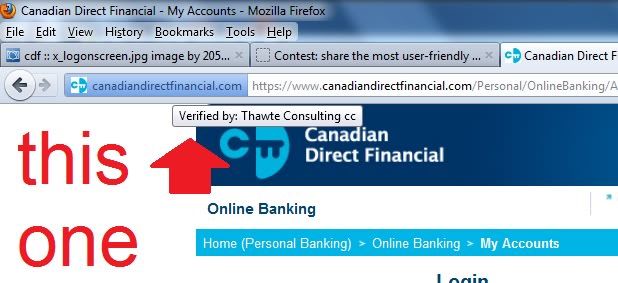
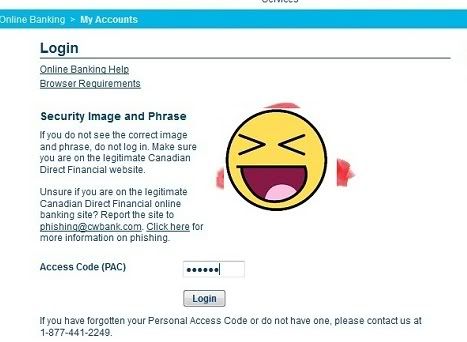
security image and phrase. Please take note to check (for security) that you are indeed
logging in the real site by moving your mouse pointer to the URL icon. As you can see
on the red arrow "Verified by: Thawte Consulting cc." Take note also that the smiley
image not my security image, ha!
So here it is (for the checking of "securedness"):
and the smiley:
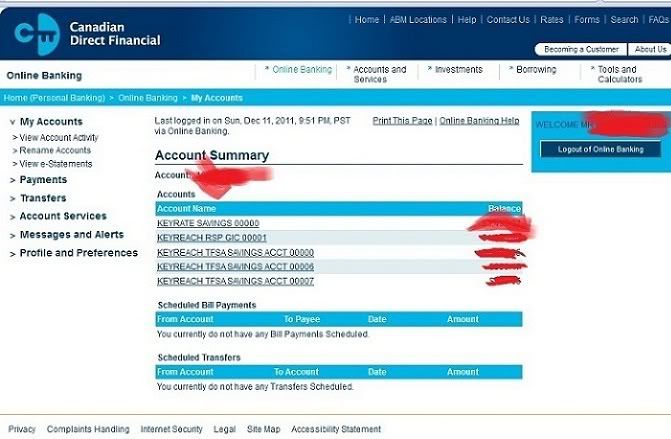
After successfully logging in, you will then be on this page: Your quick account summary
display.
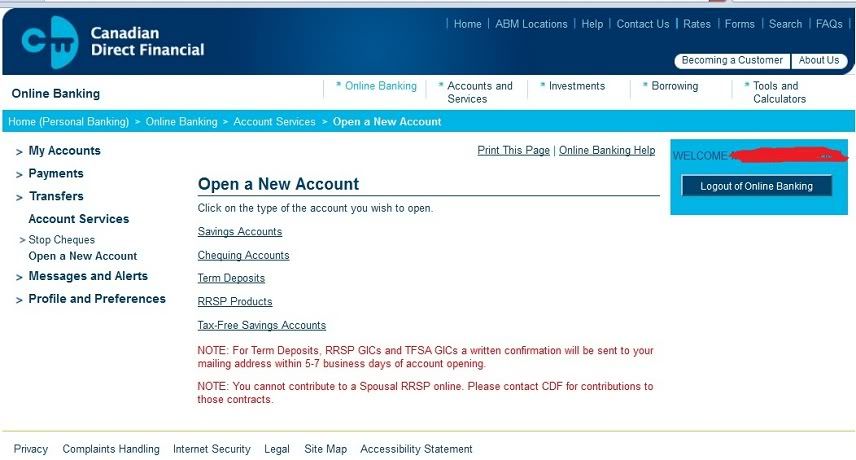
There are many ways to deposit to your account. For now let us focus on making a deposit
on the TFSA. You can deposit by signing their form and mailing it to CDF with your check
to contribute on your TFSA. Or contribute it from the money you deposited from your
"regular" savings account which we will do here. Click "Account Services" and then
click again "Open a new account"
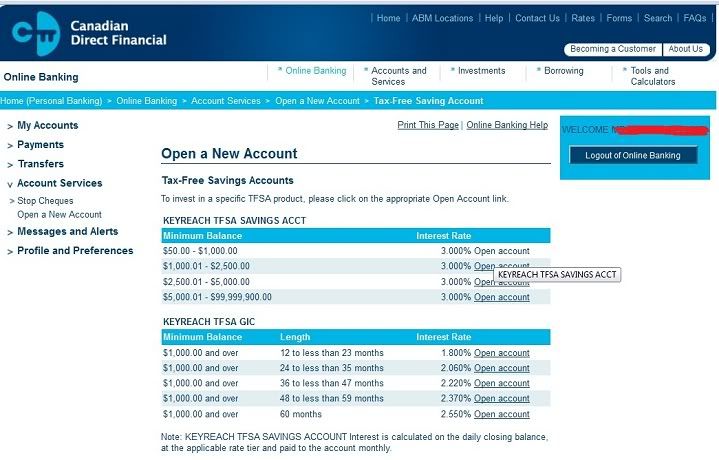
After that, it will lead you into this screen in which you'll have to click the range
of the amount of your deposit and then you will see here the interest rate that
corresponds with your deposit amount.
Then it will just show you a small screen about the details of your transaction. After
that this screen will follow:
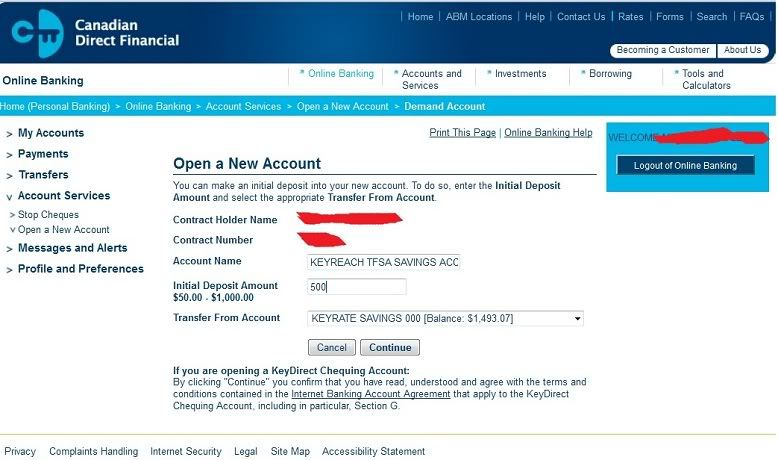
After the "Continue" click, you will be given this screen about which
tell you some reminder about over contribution and some information from the CRA
rules and the bank fee if you want close/transfer your TFSA account.
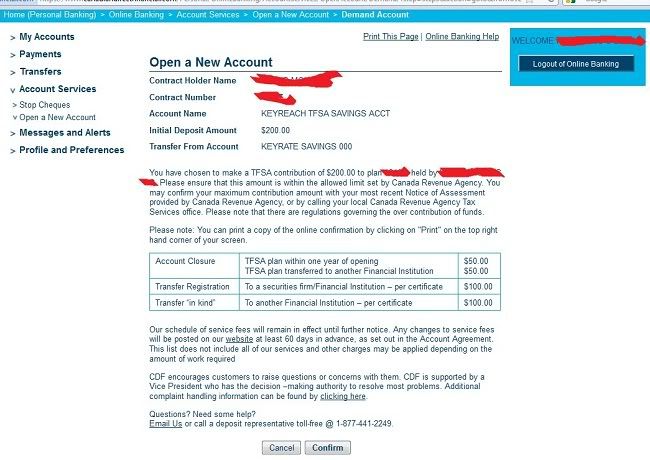
After clicking "Confirm", the TFSA will be created and you will get a summary screen (not shown).
And finally the screen shot of our $200 contribution. It's already reflected on
the account summary:
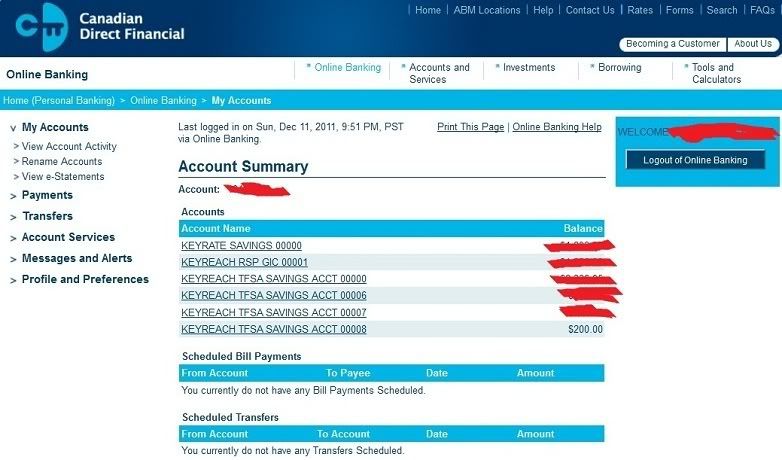
Let's try another common use of our online banking which is the bills payment.
Paying bills online with CDF is easy and secure. Just set up the bill you want to
pay through then select the amount, the date you want to pay the bill and the account
you want to draw from. I'm going to pay some of my credit card balances on this
example. Just click "Payments" and you will have a similar screen (I have already
finished set-up of my bills) like this:
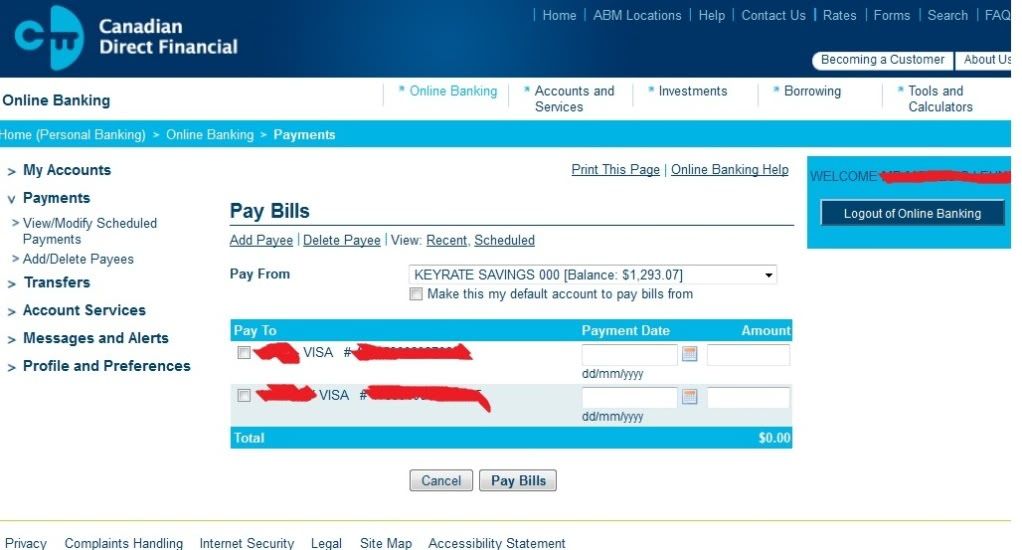
After some clicks here and there you're done.
Okay, say, you need to get access (withdrawal, ugh!) to your TFSA account. (Oh well
you need some more money for your Las Vegas trip or you decided to buy a new computer
so… that TFSA will have to be withdrawn) You can withdraw funds from your KeyReach®
TFSA in 2 ways. Complete the TFSA form and mail it in to CDF. You can choose to have
the funds mailed to you or deposited into your Savings or Chequing Account. If you
have a savings or Chequing account, you can transfer funds from your TFSA into your
Savings or Chequing Account by calling them toll-free at: 1-877-441-2249 (but I
haven't done this call thing. Ha!) What we are going to do now is to transfer some
of our TFSA money to our regular savings account. So click "Transfers…"
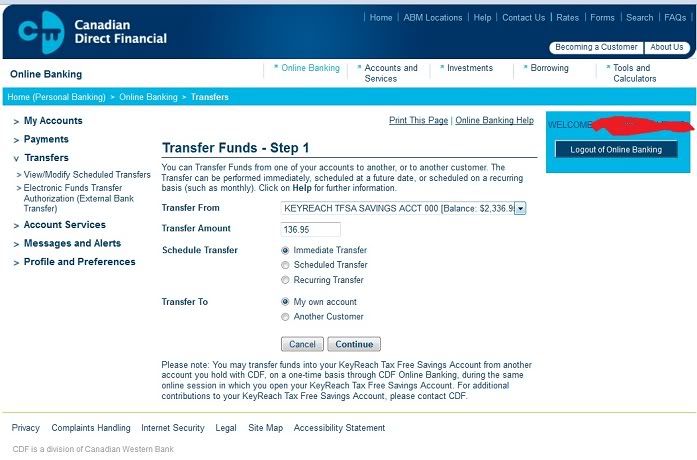
and click "Continue"
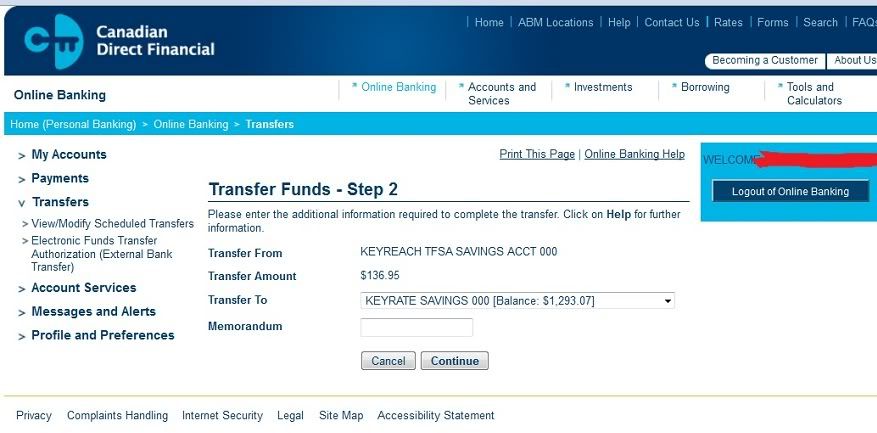
and then "Confirm"
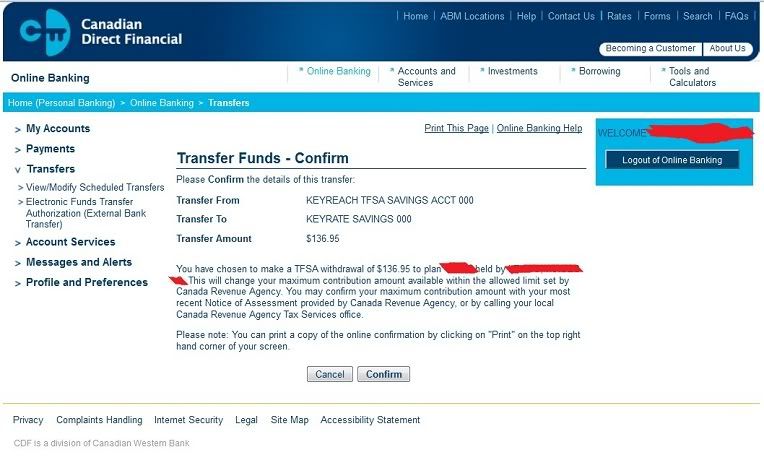
Now your money is transferred already. You can go now to the nearest ABM (under the
Exchange network of course) and get it.
***
I have already set-up my payroll direct deposit
with PC Financial. I also finished the form and submitted it to CDF for the EFT transfer
agreement. Now, let us do the EFT transfer from my PC Financial account to CDF. We will
move the workpay (deposited originally to PCF) to CDF savings account. Click "Transfers"
and then the "Electronic Funds Transfer Authorization (External Bank Transfer)"
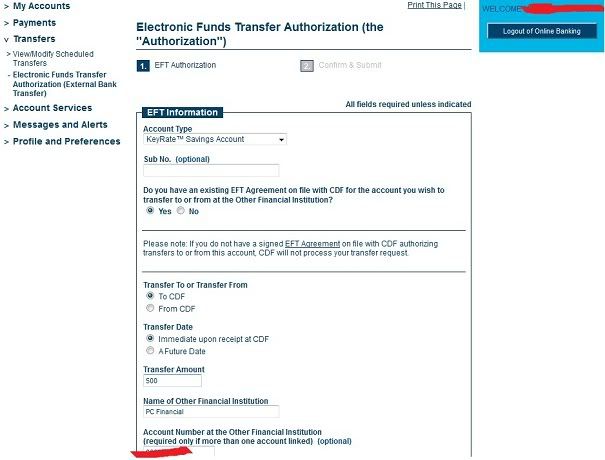
Click this, click that, enter the amount… Confirm and Submit.
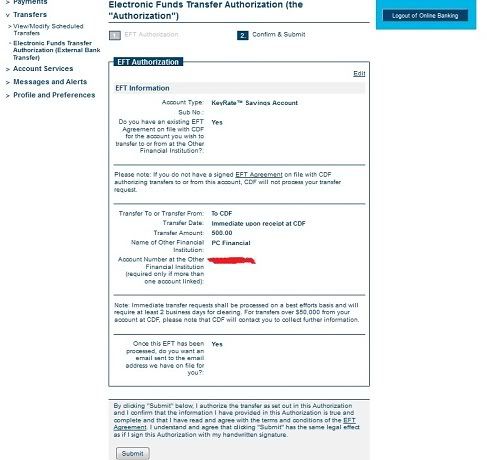
and you will get this:
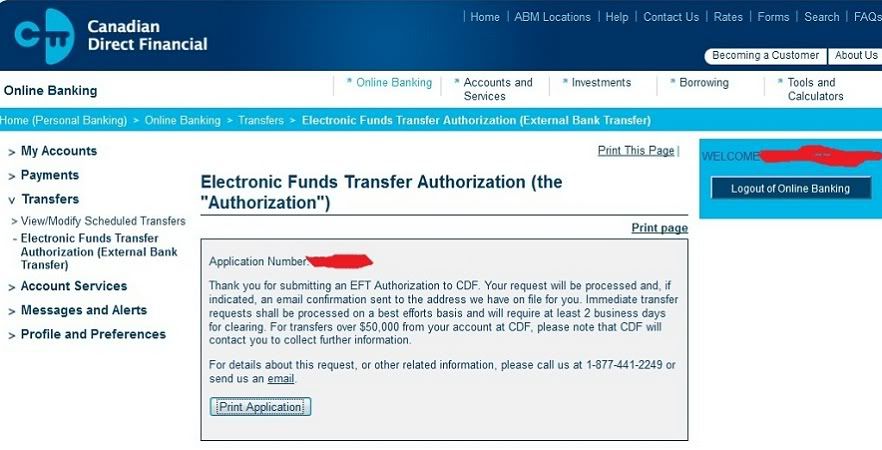
and if you opted to receive an email about this EFT, CDF will email you detailing the
amount and time the EFT is going to happen.
My wishlist for CDF is about their main account summary. Let's take another look:
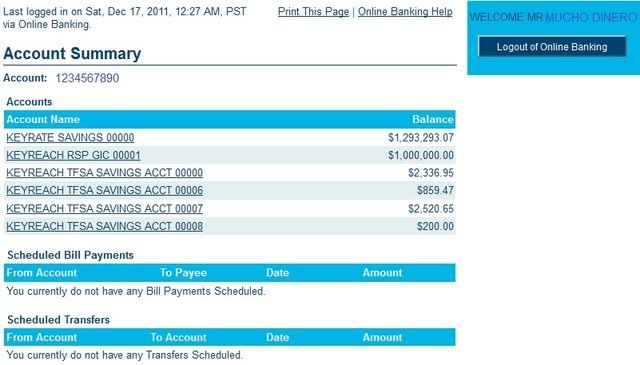
Notice that I put fictitious amount here (except the last part, the $200 TFSA which
was a product of our demonstration above) to make this post somewhat funny. Mr. Mucho
Dinero? (LOL!) Err.. $1.2M+ sitting on a savings account (LOL!) $1M GIC (LOL!)
Okay, serious now. The thing with CDF is that, every time I put on a TFSA deposit,
the number of my account keeps adding up. This started from
"KEYREACH TFSA SAVINGS ACCOUNT 00000" and now I have total of four:
"KEYREACH TFSA SAVINGS ACCOUNT 00000"
"KEYREACH TFSA SAVINGS ACCOUNT 00006"
"KEYREACH TFSA SAVINGS ACCOUNT 00007"
"KEYREACH TFSA SAVINGS ACCOUNT 00008"
I understand, my savings account will stay at "00000" and if I make another GIC
contribution then I expect to have another "KEYREACH RSP GIC 00002" and so on but my
TFSA? You see, if I make a TFSA deposit in my Coast Capital CU they'll just add them all
in one account. Same is the case with my TFSA at Scotiabank. I don't know why CDF is
doing this. Is this to make sure their interest rate computation will stick to each
specific account's amount? Their software can't compute them individually? I mean, me
keeping on investing my TFSA with CDF, I will have "KEYREACH TFSA SAVINGS ACCOUNT 11111"
when I'm 70. LOL. Anyway, I remember before, CDF combines all these amount into one
big account after the end of the month. But now, they are not doing it. I wish they'll
act on this matter. Also if they think its feasible, CDF to include a payroll direct
deposit on their system so no need to transfer money here and there from other banks.
They'll just get it right away.
And that is all folks. Thanks.
7:18 am
December 12, 2009
Offline


Wow. And I nominate 'msl' as the winner of this contest for much-description and multiple screen caps (CDF does have a great interface, by the way, much like the BC credit unions' I suspect who also use the same MemberDirect platform).
Cheers,
Doug
9:48 am
May 15, 2007
Offline
Yes, the interface (which is a good one) looks just like the one for Vancity and the now defunct Citizens Bank.


Please write your comments in the forum.